
★★★★★
Beautifully designed and effortless to use
“The Editorial Calendar Template is exactly what I needed. The typography and layout hierarchy are impeccably done, making editing and printing completely hassle-free.”
 CURRENT EDITION SOLD OUT
Branded product imagery. High-resolution digital files available immediately after purchase.
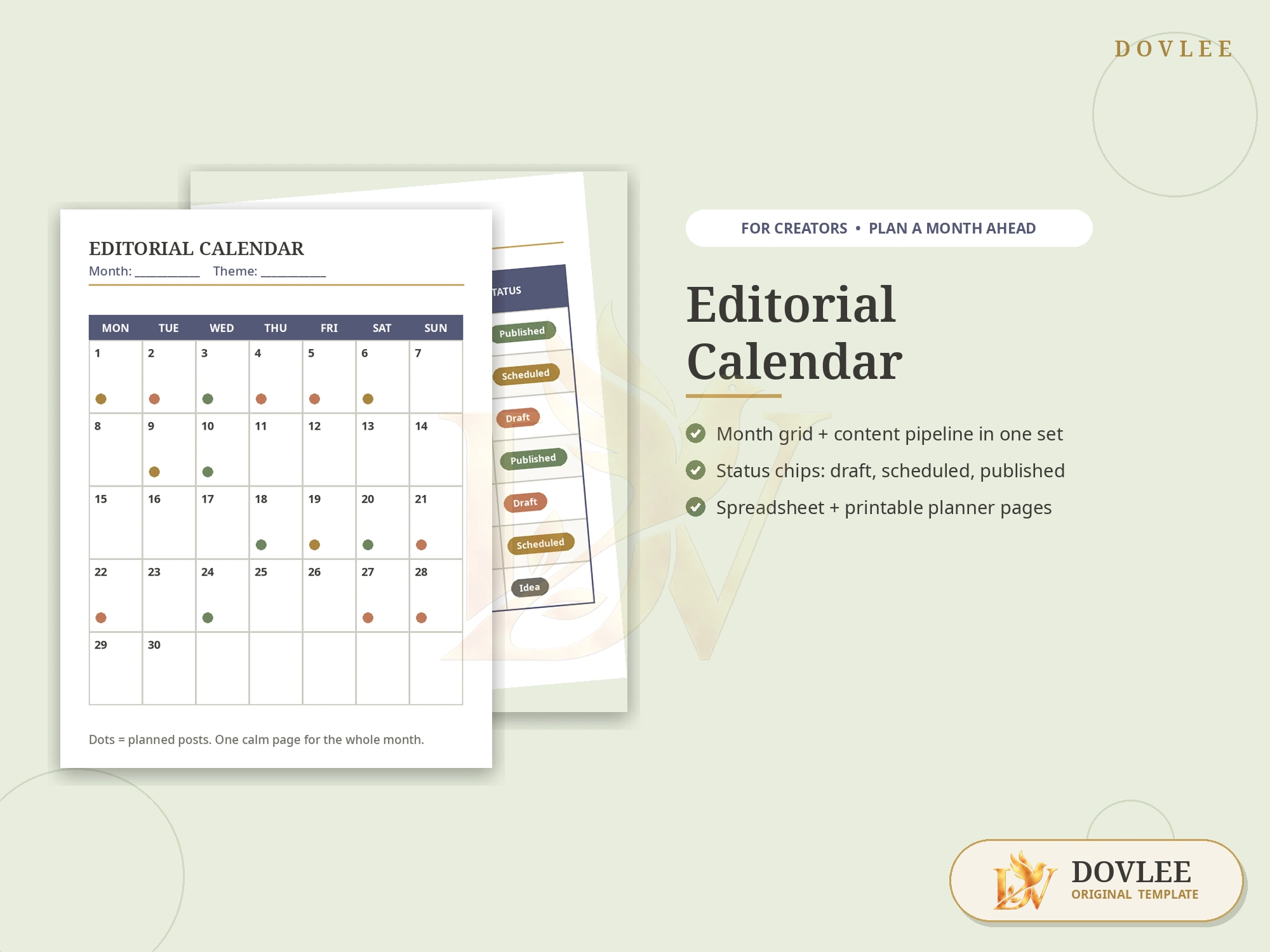
Editorial Calendar Template — Overview & Mockup
Plan it once — post on time, all month
The Editorial Calendar Template by Dovlee is a content planning system for creators and small businesses that combines a monthly calendar grid, a content pipeline table with colour status chips (idea, draft, scheduled, published), channel planner pages for blog, social, video and newsletter, and an ideas bank with monthly goals. It is provided as a spreadsheet for Google Sheets and Excel, plus printable PDF pages in US Letter and A4. It is an instant digital download — no physical item is shipped.
As the creative landscape transforms with AI, DOVLEE is collaborating with leading independent designers and typographers to elevate our digital templates into human-crafted, premium works of functional art. Save this design to your wishlist to receive private early access when the next edition opens.
Consistency is not a motivation problem; it is a planning problem. This editorial calendar gives your content one home: the month at a glance, every post moving through a visible pipeline, and an ideas bank so you never start from a blank page again.
No card details are collected on this website. When available, checkout opens on the selected platform or payment provider.
Who it is for: Bloggers, social media creators, newsletter writers and small businesses publishing on more than one channel
Instantly. After checkout you get a download link (on Dovlee, Etsy or Gumroad, wherever you purchased) with the spreadsheet (Google Sheets + Excel) and the printable PDF pages.
Google Sheets (free account) or Microsoft Excel for the spreadsheet. The printable pages open in any free PDF reader.
Blog, Instagram/social, YouTube/video, Pinterest and newsletter — each with its own planner space, all feeding into one monthly calendar and one pipeline table.
Every piece of content carries a status — Idea, Draft, Scheduled or Published — shown as a colour chip in the pipeline table, so you can see at a glance what needs attention this week.
Yes. Channel names, categories and labels are ordinary editable cells/pages — rename them to match your platforms and routine, and duplicate the month sheet for each new month.
No. It is a digital download. Nothing is shipped — you plan on screen in Sheets/Excel or print the pages at home.
“The Editorial Calendar Template is exactly what I needed. The typography and layout hierarchy are impeccably done, making editing and printing completely hassle-free.”
“Everything was presented with extraordinary clarity. The files were organized, easy to open in my preferred software, and saved me hours of work.”
“The typography, spacing, and styling feel so elevated. Delivery was immediate after checkout, and the included guide answered every question.”
 EDITION SOLD OUT
Edition Sold Out · Next Drop in Studio
 EDITION SOLD OUT
Edition Sold Out · Next Drop in Studio
 EDITION SOLD OUT
Edition Sold Out · Next Drop in Studio
 EDITION SOLD OUT
Edition Sold Out · Next Drop in Studio